Downloads
Downloads are provided as .zip files. Unzip them before running.
| Platform | Download |
|---|---|
| Linux (x86_64) | cli-linux-amd64.zip |
| macOS (Apple Silicon) | cli-darwin-arm64.zip |
| Windows (x86_64) | cli-windows-amd64.exe.zip |
Run
The CLI is an interactive TUI. Make sure Bluetooth is enabled on your computer.
Linux
unzip cli-linux-amd64.zip
chmod +x ./cli-linux-amd64
./cli-linux-amd64
macOS
unzip cli-darwin-arm64.zip
chmod +x ./cli-darwin-arm64
./cli-darwin-arm64
If macOS blocks the app the first time, approve it in Privacy & Security and try again.
| Step | What you’ll see |
|---|---|
| 1) Try to open the CLI | 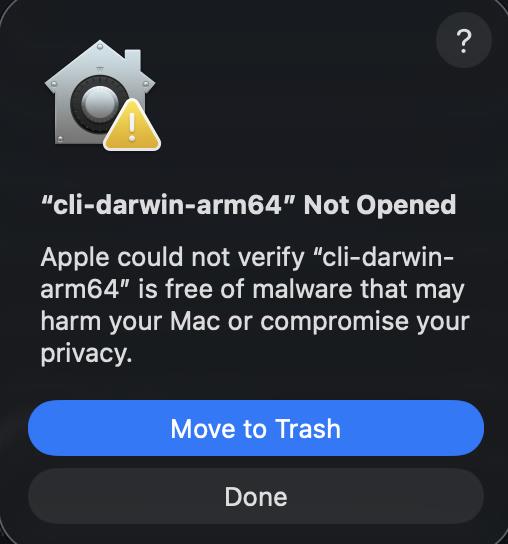 |
| 2) Open System Settings → Privacy & Security | 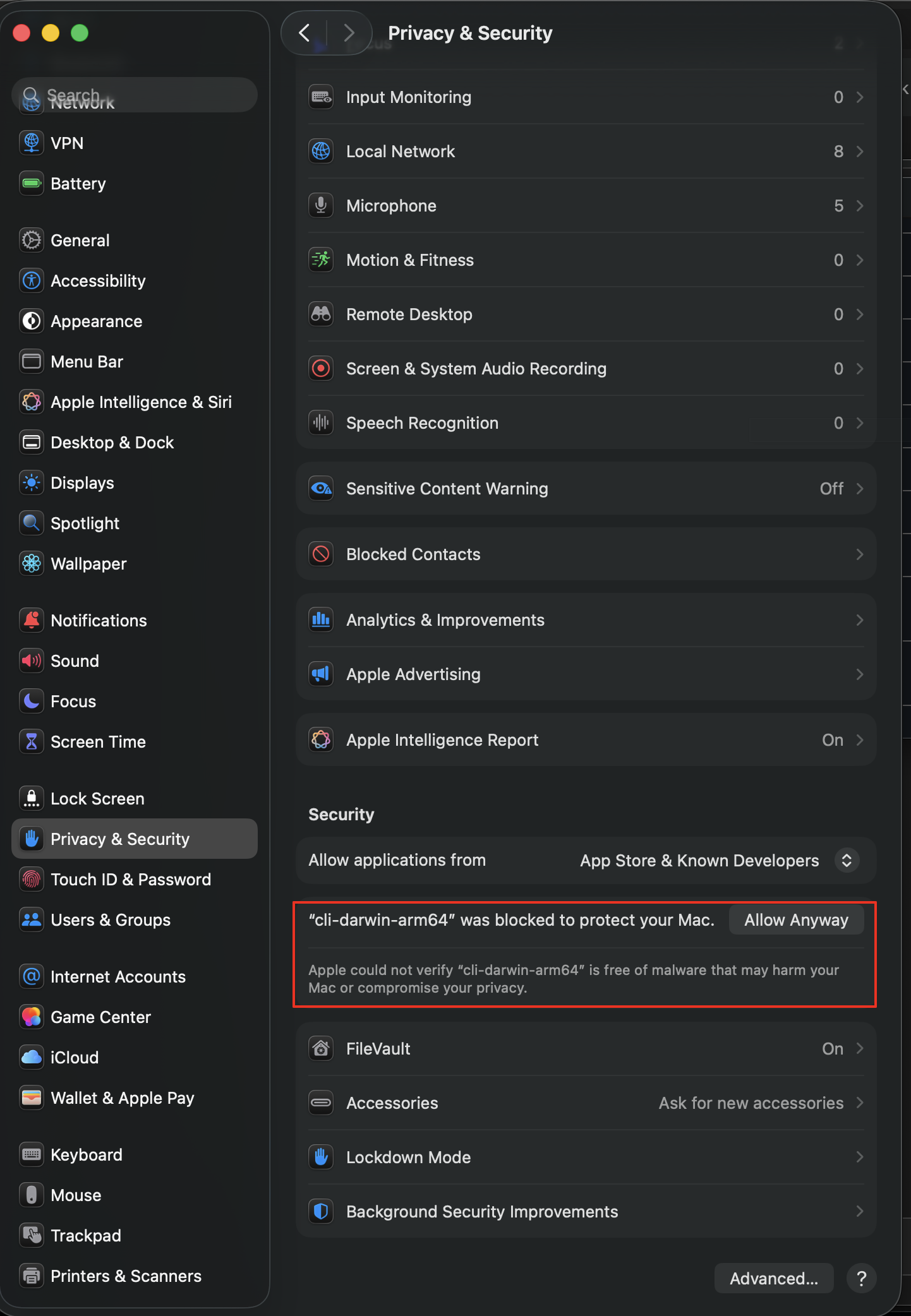 |
| 3) Click Open Anyway | 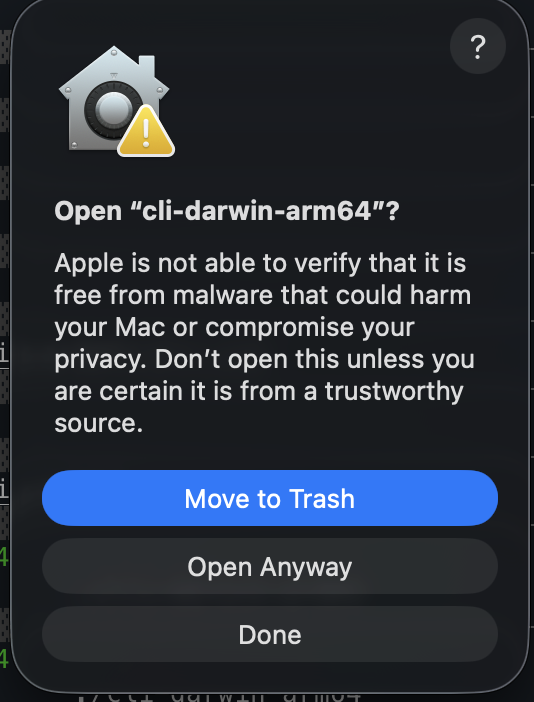 |
| 4) Allow Bluetooth | 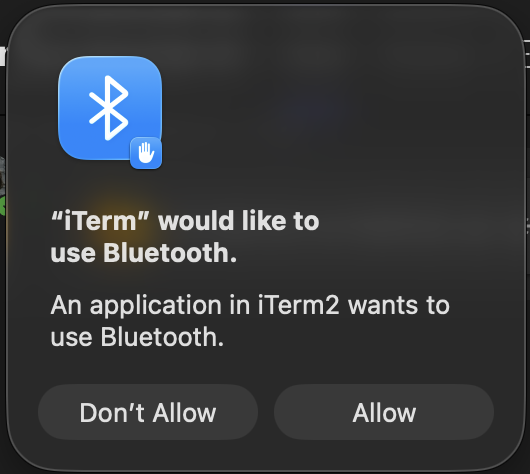 |
Windows
- Download cli-windows-amd64.exe.zip and extract it (right click → Extract All...).
- Open PowerShell in the extracted folder.
- Run:
.\\cli-windows-amd64.exe
If Windows SmartScreen blocks it: click “More info” → “Run anyway”. If the file is blocked via properties: right click the .exe → Properties → check “Unblock”.
Provisioning flow
- Select WiFi credentials only or WiFi + Claim device.
- Enter SSID + password.
- If claiming, enter the claim token (32 hex characters) from the dashboard’s “Add Device”.
If the CLI cannot find the device, make sure it is in provisioning mode and within BLE range.